Agentic Engineering Is Not a Prompt. It Is a File System.
Learn how AGENTS.md, SKILL.md, DESIGN.md, tool-specific instruction files, and architecture decision records create reliable context for AI agents.
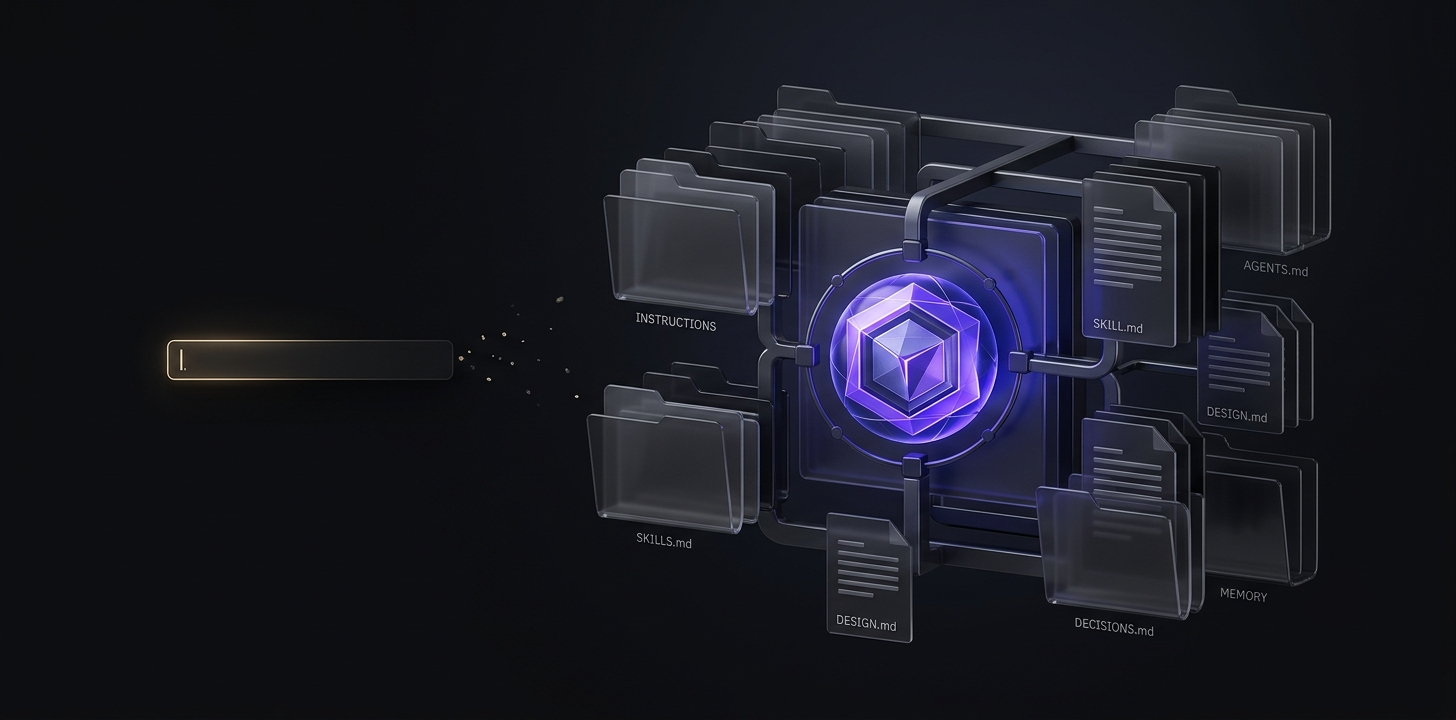
In the last article, we established that Markdown has quietly become the language AI reads best. That was the foundation.
AGENTS.md is not the only file steering AI behaviour. It is the most visible one. However, it is just one file in a growing ecosystem of Markdown-based context layers, each serving a specific purpose. Together, they form what serious practitioners now call context engineering — the discipline of shaping AI behaviour before a single prompt is ever typed.
If you have followed this series to Article 5, you already understand why context matters. This article is about the specific files that hold that context, and how they work together.
Before We Go Further, Where This Applies
I want to make one thing clear before we dive in.
Everything in this article — AGENTS.md, SKILL.md, DESIGN.md — and the rest of the ecosystem applies specifically to agentic AI environments. These are AI tools that open your project folder, read your files, and take multi-step actions across your work. Tools like Claude Code, Cursor, GitHub Copilot in its agent modes, Windsurf, Devin, Gemini CLI, and OpenAI Codex all fall into this category.
If you use AI only through a chat window — ChatGPT on the web, Claude.ai chat, Gemini chat, or Perplexity — these files are not what you use. Those tools have their own equivalents: custom instructions, project-level system prompts, and Claude Projects instructions. The principle is identical. Give the AI a persistent context so it walks in already knowing your work. But the implementation is different.
Now, let us dive in.
The Idea Behind Context Engineering
Every AI agent walks into a project with zero memory of your work. It does not know what you are building. It does not know your conventions. It does not know what you tried last month and rejected.
You have two options.
First, you can rebuild that context every session by typing it into a chat window. This is what most people do. It is also why most AI interactions feel inconsistent, generic, and frustrating.
Second, you can build a persistent context layer that lives outside the chat. Files sitting in your project folder, written once, read automatically every time you open a session. The AI walks in already knowing the room.
The second approach is context engineering. And it is not one file. It is a set of specialised files, each holding a different type of knowledge that the AI needs.
The Files That Matter
Let me walk you through the ecosystem, file by file, and what each one actually does.
AGENTS.md — The Project Briefing
This is the file we covered as the anchor of this article, and rightly so. It is the most widely adopted context file in 2026, stewarded by the Linux Foundation, supported by over thirty AI tools, and used in more than sixty thousand projects.
AGENTS.md holds project-scoped context. What the project is. What technologies does it use? What conventions to follow? What files are never to be touched? What good work looks like on this specific project.
Every session that opens your project reads this file first. It is the onboarding document for a teammate who has no memory between sessions.
SKILL.md — The Reusable Capability
AGENTS.md tells the AI about your project. SKILL.md tells the AI about a specific capability it should have.
The idea was formalised by Anthropic in late 2025 and released as an open standard through the Agentic AI Foundation. As of 2026, it supports many tools, including Claude Code, OpenAI Codex, GitHub Copilot, Cursor, VS Code, and Gemini CLI.
Here is what makes it different. A skill is a folder containing a SKILL.md file plus optional scripts, templates, and reference materials. The SKILL.md describes what the skill does — writing a commit message, generating a design system audit report, running a deployment checklist, drafting a UX case study — whatever the specific capability is.
The AI reads only the name and description at startup. When a task matches, it loads the full instructions. When the task ends, the skill unloads. This keeps the AI's working memory clean — instead of stuffing everything into one file, capabilities are modular and loaded only when relevant.
Skills are the mechanism by which teams turn their institutional knowledge into reusable AI behaviour. A design team can build a skill for producing accessibility audit reports. A product team can build one for writing feature specs. Any compatible AI tool can then use those skills — the same way a new team member would use a company playbook.
DESIGN.md — The Design System Context
This one is not part of a formal industry standard, but it has emerged as a genuine pattern in serious teams.
When your design system lives across code, tokens, components, and documentation, the AI needs a single place to understand it. DESIGN.md sits at the root of your project, or inside a design system directory, and holds the visual language of your product. Naming conventions. Token structure. Component patterns. Accessibility standards. What does good look like when someone builds a new component?
If you are a designer working with AI in an agentic environment, this file is often the single largest lever for producing consistent output. Without it, the AI defaults to whatever design patterns dominated its training data — which rarely match your specific product.
With it, the AI can generate components that respect your system from the first attempt, rather than the fifth.
CLAUDE.md and Its Cousins — The Tool-Specific Files
Before AGENTS.md became the shared standard, every major AI tool had its own briefing file. CLAUDE.md for Anthropic's Claude Code. .cursorrules for Cursor. copilot-instructions.md for GitHub Copilot. GEMINI.md for Google's Gemini CLI.
These still exist and are still read by their respective tools. In 2026, most teams use them as extensions on top of AGENTS.md — meaning the shared context lives in AGENTS.md, and the tool-specific behaviour lives in these files.
For example, a CLAUDE.md might simply say "follow all rules in AGENTS.md, plus these Claude-specific instructions." This gives you portability across tools while allowing each tool to have its own quirks.
Architecture Decision Records — The Memory of Why
This is the file most people miss.
An Architecture Decision Record — usually a Markdown file inside a docs/decisions/ folder — captures a single significant decision the team made, why they made it, and what alternatives they considered.
Why does this matter for AI?
Because without it, the AI will confidently suggest exactly what your team already tried and rejected. Imagine you spent three months last year exploring a new navigation pattern for your product. You tested it. You gathered feedback. You decided it did not work and reverted to the previous structure. Six months later, you open an AI session to redesign a related flow. The AI, working purely from best practices in its training data, will confidently suggest the exact pattern you already ruled out. It has no way of knowing that a decision was made — unless someone wrote it down.
An ADR file, written as a short Markdown document, prevents this. It tells the AI what was decided, when, and why. It becomes the institutional memory that the AI does not have on its own.
How These Files Work Together
Here is the mental model worth carrying with you.
- —AGENTS.md is the map of your project. It tells the AI where things are and what the rules are.
- —SKILL.md files are the specialised abilities the AI can call on when it needs them.
- —DESIGN.md is the visual language of the product.
- —CLAUDE.md and its tool-specific cousins handle the quirks of individual AI tools.
- —Architecture Decision Records hold the history and the reasoning behind past choices that the AI would otherwise erase from memory.
You do not need all of these on day one. Most projects start with just an AGENTS.md. But as your workflow matures, adding the others becomes less about complexity and more about precision. Each file does one specific job. Together, they form a context layer that turns generic AI capability into consistent, project-specific output.
This is what agentic engineering actually looks like at the ground level. Not a magical prompt. Not a clever trick. A well-organised set of Markdown files that shape how the AI behaves before it ever sees your work.
Why This Ecosystem Matters — Especially for Designers
I want to speak directly to the designers reading this.
In Article 3, I referenced the AI in Design 2026 report — the survey of over nine hundred designers that found half of them had already shipped AI-generated code to production. Not prototypes. Production.
That reality changes what a designer is accountable for. It is no longer just the Figma file. Increasingly, it is the working MVP. The functioning prototype. The piece of production code.
Which means designers now need what engineers have always needed — a way to steer the AI toward secure, well-organised, maintainable output. Not through better prompts. Through a better context.
That is what this ecosystem of files provides.
If you are shipping code as a designer, learning to write AGENTS.md, DESIGN.md, and skills specific to your workflow is not optional. It is the difference between shipping something that works today and breaks next month and shipping something that stands up to real scrutiny.
Agentic engineering is not just for engineers. It is the discipline every designer building with AI now needs to learn.
This is Article 5 in the series AI From the Inside, a six-part series on AI literacy for designers, developers, and working professionals. Previous: The 20-Year-Old File Format That Became the Language AI Understands Best
Share this article
Related Articles
The 20-Year-Old File Format That Became the Language AI Understands Best
Markdown was created in 2004 for humans. Twenty years later, it quietly became the format AI models understand better than almost any other. Here is why that matters for anyone using AI professionally.
Vibe Coding Is Already Over. Here Is What Replaced It. And Why It Matters Even If You Are Not a Developer.
Vibe coding changed how software gets built, but agentic engineering is already replacing it. Here is why this shift matters for designers, founders, students, and anyone using AI tools.